
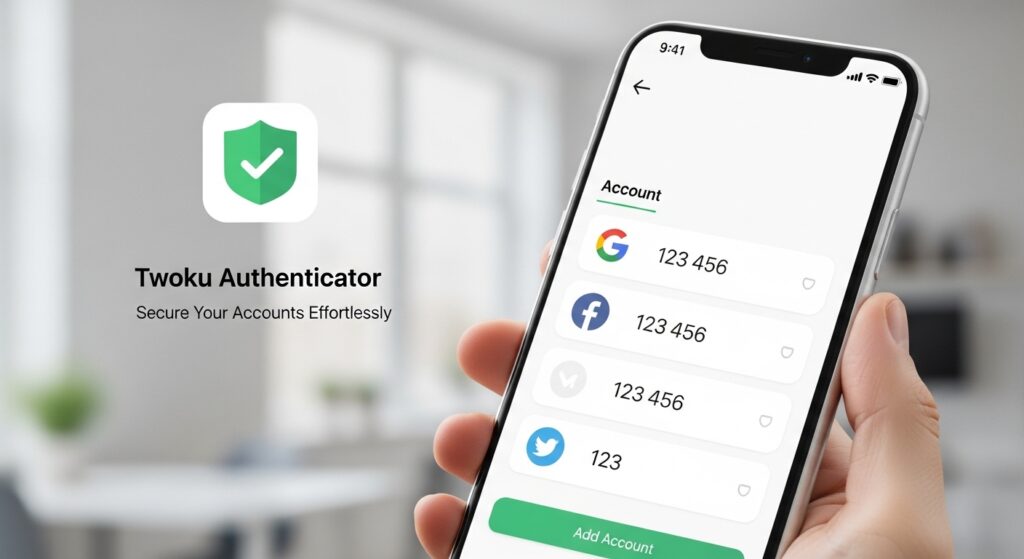
In today’s digital world, protecting online accounts has become more important than ever. Cyber threats like phishing, credential theft, and account hijacking are on the rise, making strong authentication essential for individuals and businesses alike. Twoku Authenticator is a modern multi-factor authentication (MFA) solution designed to simplify and strengthen account security without adding complexity to your daily routine. This guide explores the features, benefits, and practical uses of Twoku Authenticator so you can understand how it enhances your digital protection.
What Is Twoku Authenticator?
Twoku Authenticator is a security application that enables users to generate time-based one-time passwords (TOTPs) and other verification codes required for secure login processes. Acting as a second security layer beyond your password, it significantly reduces the risk of unauthorized access. Instead of relying solely on SMS or email codes, Twoku Authenticator uses cryptographic methods to generate authentication codes directly on your device.
It works with services that support MFA standards such as TOTP and RFC 6238, making it compatible with a wide range of platforms, including email providers, social media, cloud services, and enterprise systems.
Key Features of Twoku Authenticator
Time-Based One-Time Passwords (TOTP)
Twoku Authenticator generates secure, temporary codes that refresh every 30 seconds. These codes are used during login to verify that the person accessing the account is authorized. Because the codes change continuously, they are much harder for attackers to exploit.
Easy Setup With QR Codes
Setting up Twoku Authenticator is straightforward and user-friendly. When enabling MFA on a service, a QR code is provided. Simply scan it with the app to add your account and start generating codes immediately.
Multiple Account Support
Whether you manage personal accounts, client logins, or team credentials, Twoku Authenticator can store and generate codes for several accounts simultaneously. This centralized approach keeps your authentication tools organized.
Offline Code Generation
Twoku Authenticator generates verification codes without requiring an internet connection. This means you can authenticate securely even in offline settings or when roaming internationally.
Backup and Recovery Options
Losing your device shouldn’t mean losing access to your accounts. Twoku Authenticator offers secure backup and account recovery features to restore your authentication data safely, reducing the risk of lockouts.
Biometric and PIN Protection
For added device security, you can enable biometrics (such as fingerprint or facial recognition) or a PIN to protect access to the Twoku Authenticator app itself. This prevents unauthorized users from viewing your codes if your device is lost or stolen.
How Twoku Authenticator Improves Security
Enhances Account Protection
Passwords alone are vulnerable—especially if reused across multiple services. By requiring a second authentication factor, Twoku Authenticator ensures attackers cannot access your accounts using compromised credentials.
Reduces Dependence on SMS
SMS-based verification has known vulnerabilities, such as SIM swapping and interception. Twoku Authenticator avoids these risks by generating codes directly on your device instead of relying on carrier networks.
Protects Sensitive Data
Whether you’re securing financial accounts, work email, or cloud resources, MFA helps safeguard sensitive personal and business data against unauthorized access.
Compatible With Popular Platforms
Twoku Authenticator works with most services that support industry-standard MFA protocols, including but not limited to:
-
Email providers
-
Cloud storage platforms
-
Social media accounts
-
Financial apps
-
Business and enterprise systems
This broad compatibility makes it a versatile security tool across your digital ecosystem.
Setting Up Twoku Authenticator: A Step-by-Step Guide
-
Download and Install the App: Get Twoku Authenticator from the official app store on your mobile device.
-
Add a New Account: Open the service where you want to enable MFA and choose the option to set up an authenticator app.
-
Scan the QR Code: Use Twoku Authenticator to scan the QR code displayed by the service.
-
Verify the Code: Enter the verification code generated by Twoku Authenticator into the service’s setup prompt.
-
Complete MFA Activation: Confirm setup to ensure your account now requires codes from Twoku Authenticator on future logins.
Once configured, each time you sign in to that account, you will be prompted to enter a time-based code from your Twoku Authenticator app after entering your password.
Practical Uses of Twoku Authenticator
Personal Account Security
Protect your personal email, social media, and other accounts that may be vulnerable to hackers. Adding Twoku Authenticator as a second factor helps ensure that even if a password is compromised, your accounts remain secure.
Business and Enterprise Protection
For organizations, MFA is often a compliance requirement. Twoku Authenticator helps businesses enforce stronger authentication policies, reducing the likelihood of data breaches and unauthorized access to internal systems.
Developer and Tech Community Use
Developers and tech professionals often manage multiple services with sensitive access credentials. Twoku Authenticator provides a secure and organized way to manage MFA codes for various platforms, from code repositories to cloud consoles.
Secure Remote Work
With remote work increasing globally, securing access to corporate networks and collaboration tools is essential. Twoku Authenticator adds an additional layer of security for remote employees accessing systems outside traditional office environments.
Benefits of Using Twoku Authenticator
Strengthened Protection
The primary advantage of using Twoku Authenticator is heightened security. Passwords alone are insufficient protection; adding MFA significantly increases account defense.
Peace of Mind
Knowing that your accounts are protected with an additional authentication layer provides confidence that attackers are much less likely to breach your accounts.
Cost-Effective Security
Unlike hardware security keys, which can be expensive, Twoku Authen ticator provides strong MFA protection through a software solution without additional hardware costs.
Streamlined Login Experience
Once set up, the authentication process becomes quick and seamless. You only need to open the app and enter the current verification code.
Best Practices for Using Twoku Authenticator
-
Keep Backup Codes Secure: Many services provide backup codes during MFA setup—store these in a secure location in case you lose access to your device.
-
Enable App Security: Use a PIN or biometric lock within Twoku Authen ticator to protect against unauthorized access.
-
Regularly Update Software: Keep your app and device software up to date to benefit from security patches and improvements.
-
Organize Your Accounts: Label accounts clearly within the app to avoid confusion when entering codes.
Comparisons With Other Authenticators
Twoku Authen ticator shares many features with other leading authentication apps, such as code generation, QR scanning, and offline access. What sets Twoku apart is its ease of use and focus on seamless security without unnecessary complexity.
Is Twoku Authenticator Right for You?
Twoku Authen ticator is well-suited for anyone who wants to secure online accounts with minimal hassle. Whether you are a casual user, professional, or business owner, this tool enhances your account protection without adding unnecessary complexity.
Conclusion
In an era where cyber threats are continually evolving, MFA tools like Twoku Authenticator offer a reliable and user-friendly way to secure your digital life. By pairing strong authentication codes with familiar login processes, Twoku Authen ticator ensures that your accounts are protected with a robust security layer that is easy to use and manage.